Understanding Oracle Integration Cloud Gen 3
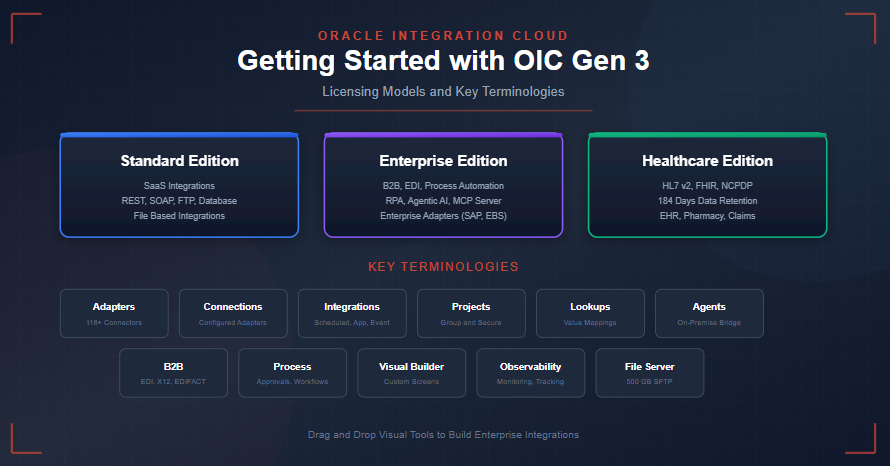
Welcome to my first blog! Oracle Integration Cloud (also popularly known as OIC) is a Middleware platform provided by Oracle to build Integrations. The purpose of a Middleware platform is to move data among many applications, databases, file servers, etc. in the simplest possible way using drag-and-drop visual tools to build logic. Before we begin with detailed blogs on building integrations, we should first understand the licenses along with where these licenses fit or which one to use, and the common terminologies used in building any integration in OIC.
OIC Licensing Models:
OIC comes with three editions for Licensing which are Standard, Enterprise, and Healthcare. The details of each of these models are explained here: https://docs.oracle.com/en/cloud/paas/application-integration/oracle-integration-oci/oracle-integration-editions.html. The decision on which Edition to choose should be based on the following points:
Standard Edition works well for most mid-size ERP implementations. Some choose this Edition at the very beginning of the development phase because they do not need advanced features and later upgrade that to Enterprise/HealthCare Edition if required. Hence, you should choose Standard Edition if:
- You are integrating SaaS applications using common adapters
- You mainly use REST, SOAP, FTP, Database adapters
- You do not require B2B capabilities (EDI, X12, EDIFACT)
- You do not require Robotic Process Automation (RPA)
- You do not require Process Automation (This is different from RPA. This is when you need Approvals in the Integrations)
- You do not require Agentic AI or MCP Server capabilities
Typical use case:
- Fusion ERP to third party REST system.
- File based inbound or outbound integrations.
Important point to note is Upgrade from Standard to Enterprise/Healthcare is possible but Downgrade is not.
Enterprise Edition is required when your integration needs Enterprise Adapters such as Oracle E-Business Suite Adapter, Oracle JD Edwards EnterpriseOne Adapter, Oracle Siebel Adapter, and SAP Adapter and some more capabilities. You should choose Enterprise Edition if:
- You need B2B Integration capabilities for trading partner management and EDI document exchange (X12, EDIFACT)
- You require Process Automation for approvals
- You need Robotic Process Automation (RPA) to automate repetitive tasks
- You want to use Agentic AI features or MCP Server capabilities to expose integrations to AI agents
Typical use case:
- EDI integrations with trading partners.
- Purchase order approval workflows that require manager's approval before loading into Oracle.
Healthcare Edition includes everything in Enterprise Edition plus features specific to healthcare industry such as healthcare messages, healthcare adapters, and a healthcare action. This edition is the most expensive one. You should choose Healthcare Edition if:
You need to exchange healthcare specific document formats like HL7 v2, FHIR, or NCPDP
- You require extended data retention periods for compliance (184 days vs 32 days in Standard or Enterprise Edition). Although you can extend 32 days in Enterprise Edition, that will incur some cost.
- You are integrating healthcare systems like Electronic Health Records (EHR), pharmacy systems, or insurance claims
OIC Terminologies:
I will cover each of these concepts in detail in the next set of blogs but for now let's understand them at a high level.
Adapters and Connections
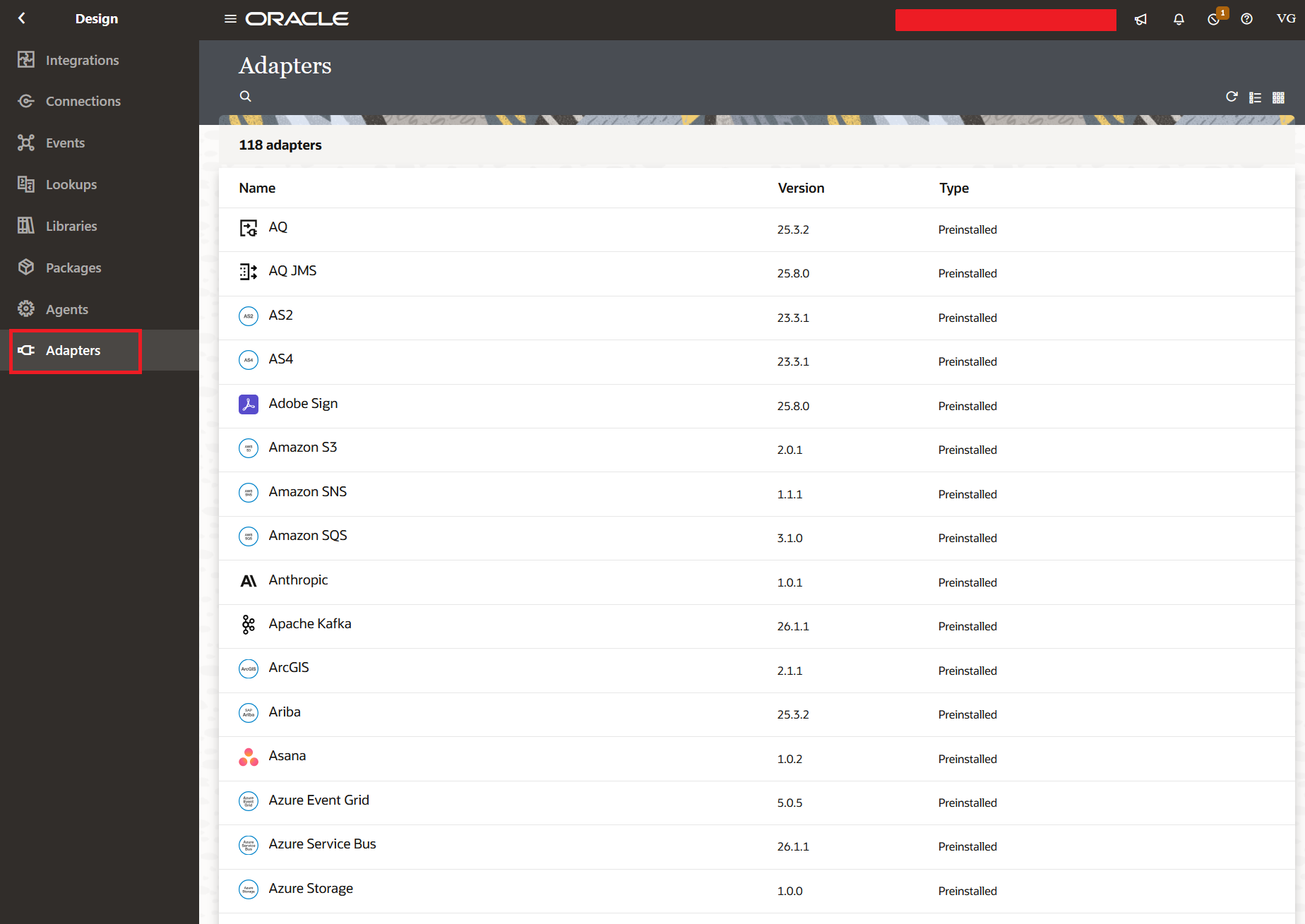
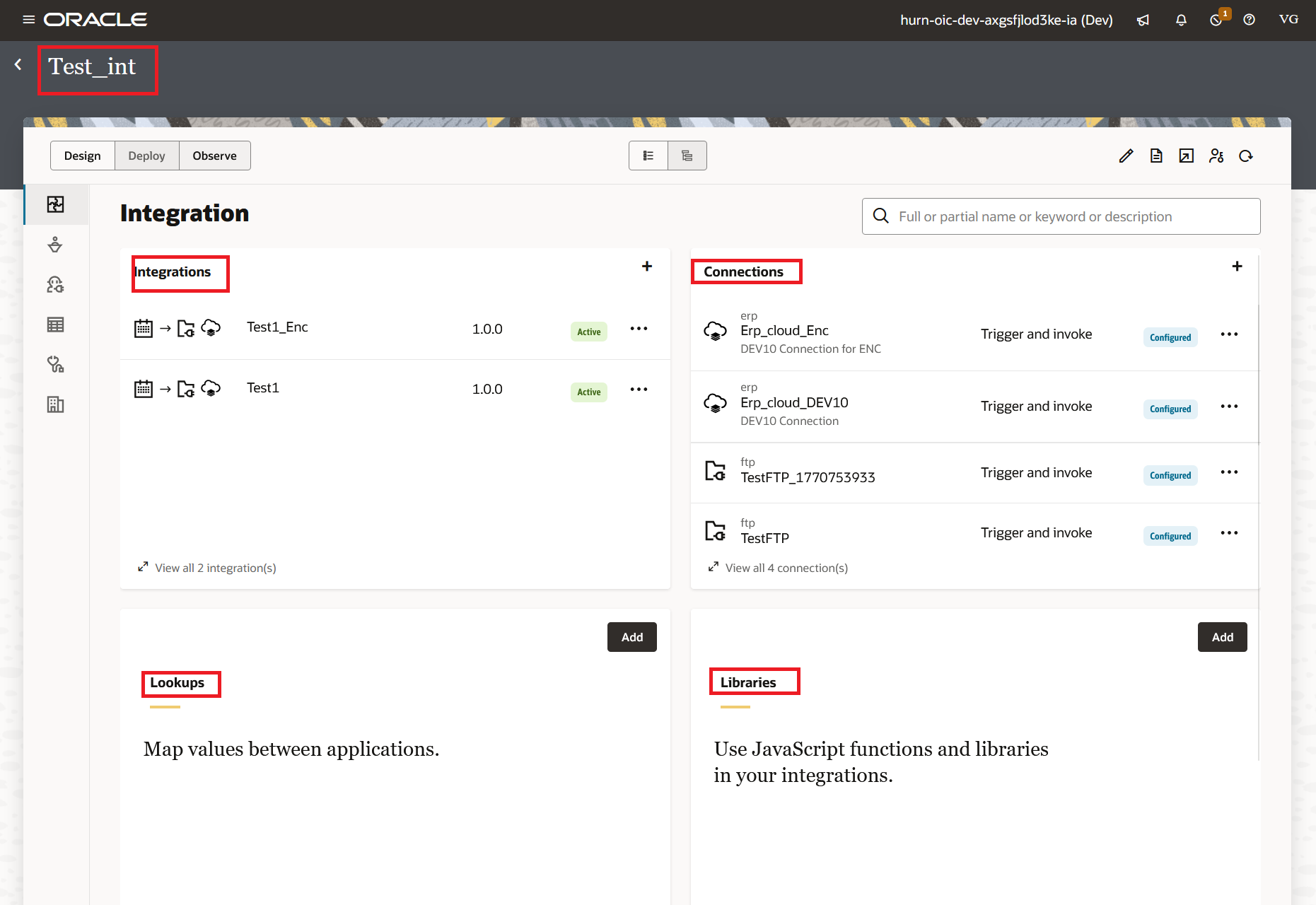
Adapters help accelerate connecting to the applications. We don't have to worry about writing a code or logic on how to securely connect to any application or a database or a file server. Adapters will also help in configuring the request and response payloads. OIC provides around 118 Adapters as of today and also a way to build your own custom adapter using Rapid Adapter Builder tool. Some commonly used example adapters are REST, SOAP, Oracle ATP Database, Oracle ERP Cloud, and FTP.
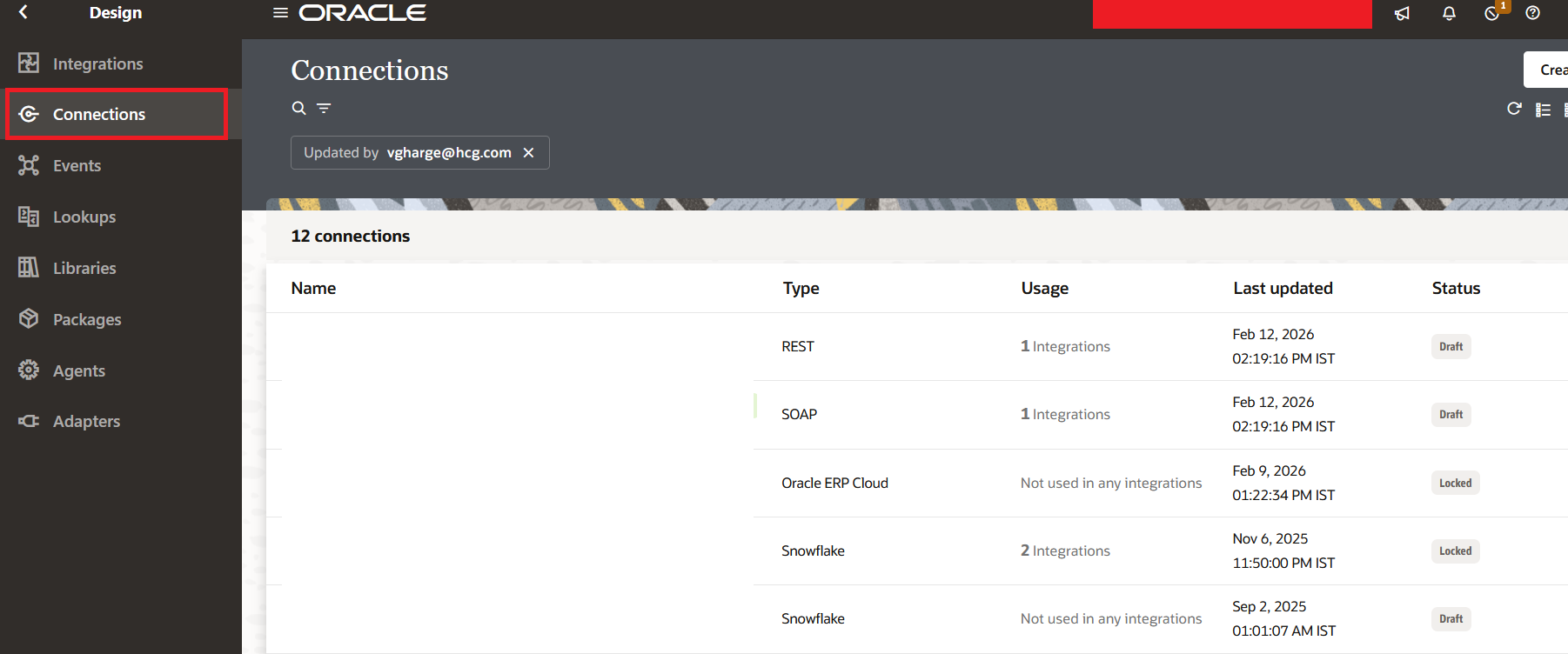
Using Adapters, we create connections. It has one-to-many relationship - for example, using Oracle ERP Cloud adapter, I can create connections to my Dev, Test, and Prod Environments (Three Connections).
Lookups
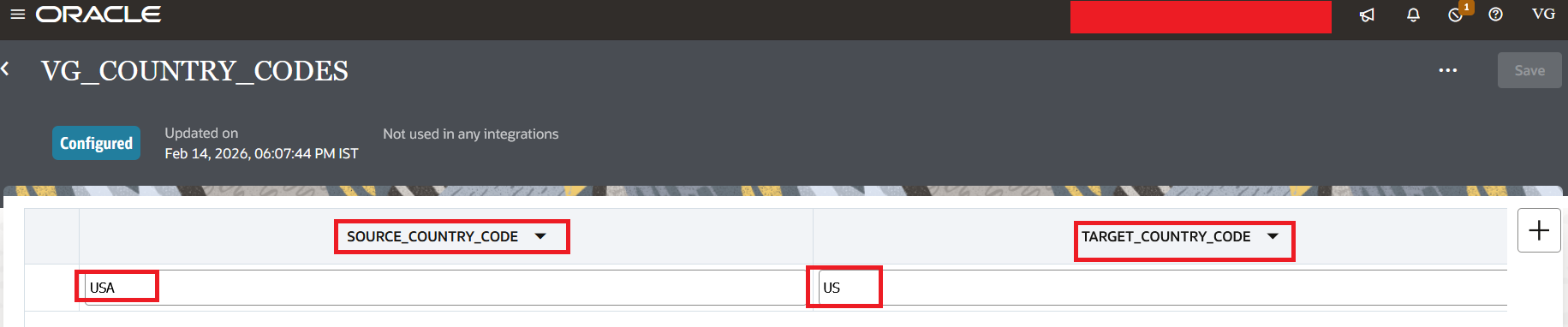
When you integrate any two applications, then you need some place where you can store the source-to-target Transformations. You can use Lookups to do the same. We can also use Lookups to store Integration Metadata details and avoid any hard-coding as a best practice.
Libraries
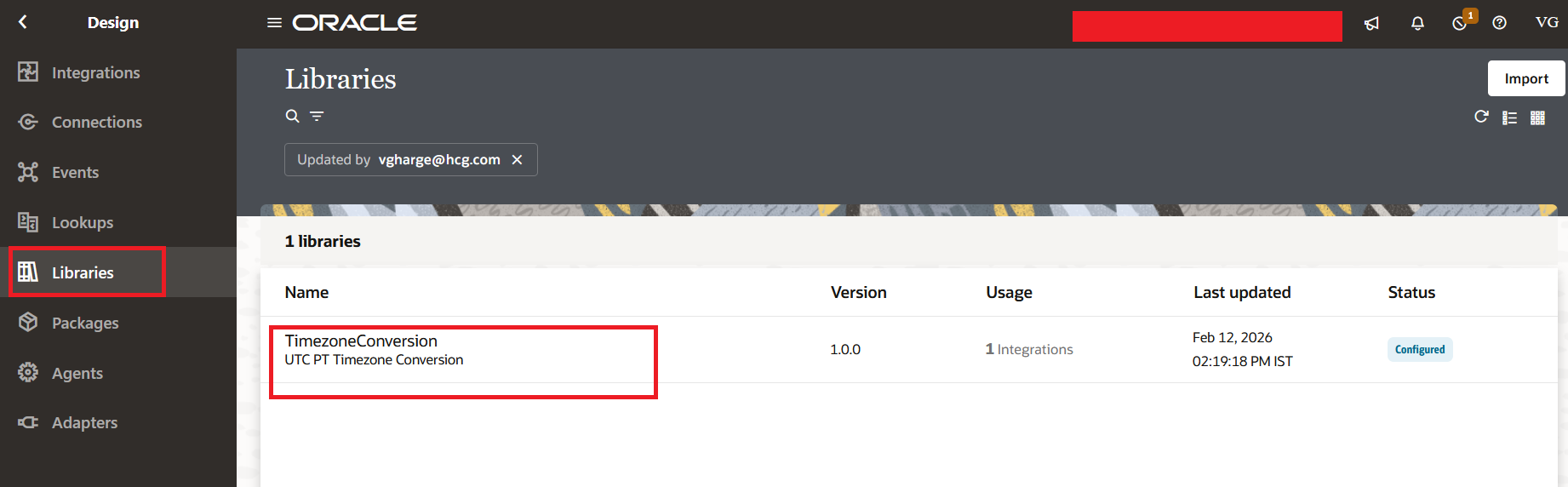
We use Libraries when we think it is easier to write this logic in JavaScript than in OIC. This JavaScript code is exposed as a function which can be reused across multiple integrations.
Packages
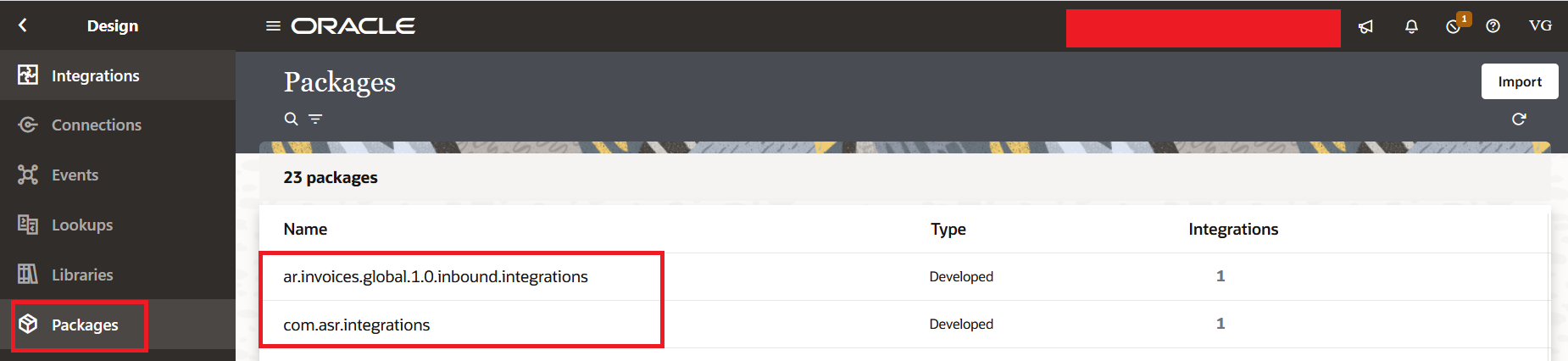
When you want to group a set of Integrations so that you can migrate them together, then you use Packages. We cannot create a standalone Package. We need at least one Integration to be added in the Package. Although, Oracle has added a new feature called Projects to not only group but secure them which makes the usage of Package obsolete.
Agents
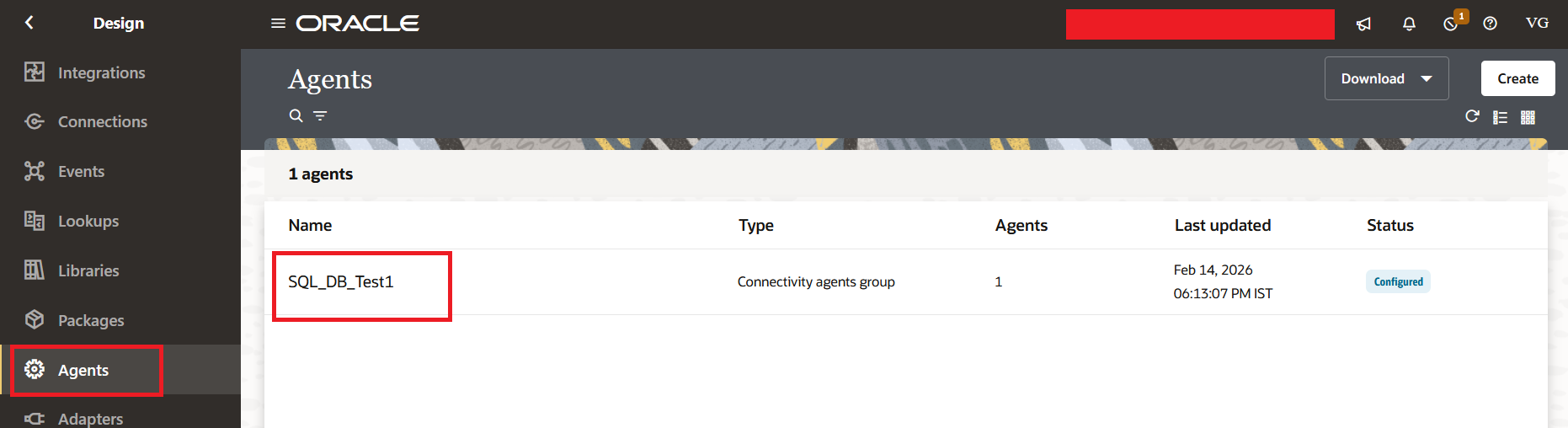
When you have an On-Premise application/database/file server, then you can expose them to OIC to be accessible over the network using OIC Connectivity Agents. Please note that this is not related to AI Agents.
Integrations
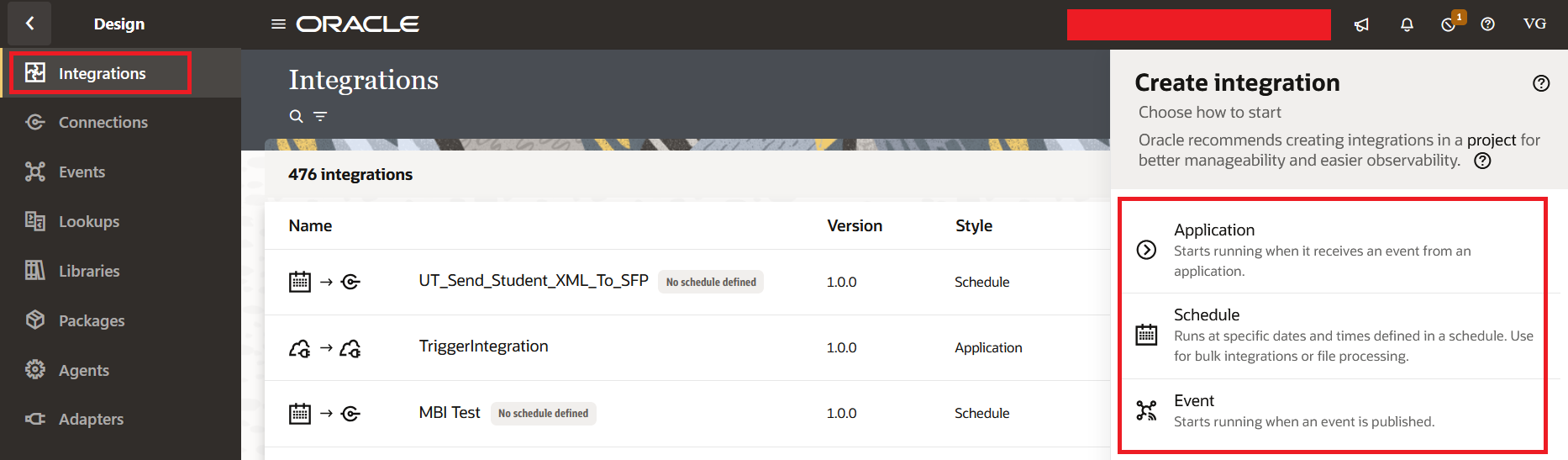
Once the Connections are configured, we use those connections to build Integrations. Oracle provides three Integration Types:
- Scheduled: You can schedule this type of integration to run let's say every 15 mins or every hour or every day.
- Application: You are exposing this integration as a service to other integration or external applications. The first node of this type of integration will be a connection which will accept requests or business events.
- Event: This uses a Publish-Subscribe pattern. Although we rarely use this type of integration, as the same can be achieved using Application Type of Integration.
Projects
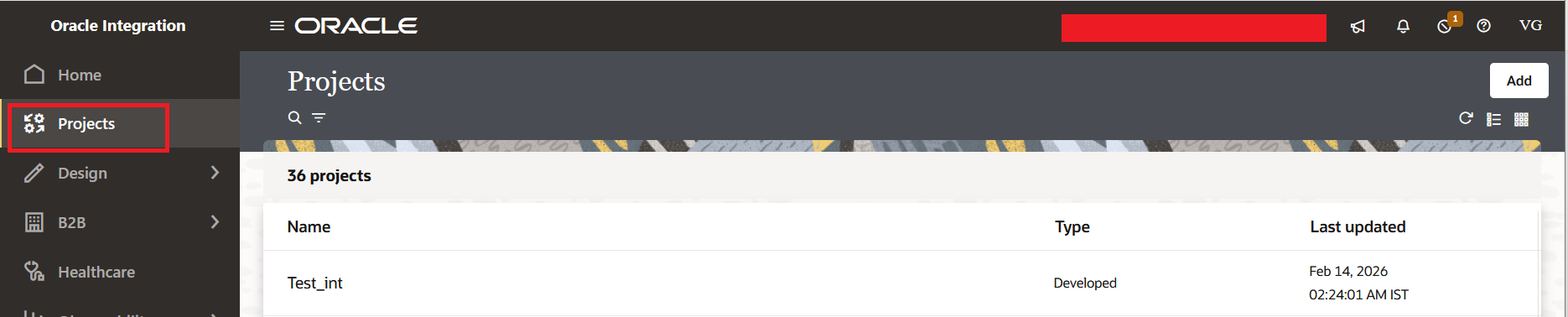
When you want to group and secure a list of Integrations then you use Projects. Please note that once you create an Integration inside the project then that integration cannot be exported outside the project. It will be exported as a Project file. Usually Projects are used when you have let's say five different development teams sharing the same environment, and you want to make sure they do not step on each other's toes during development, you can create five different Projects and secure access for each of the Projects.
Visual Builder
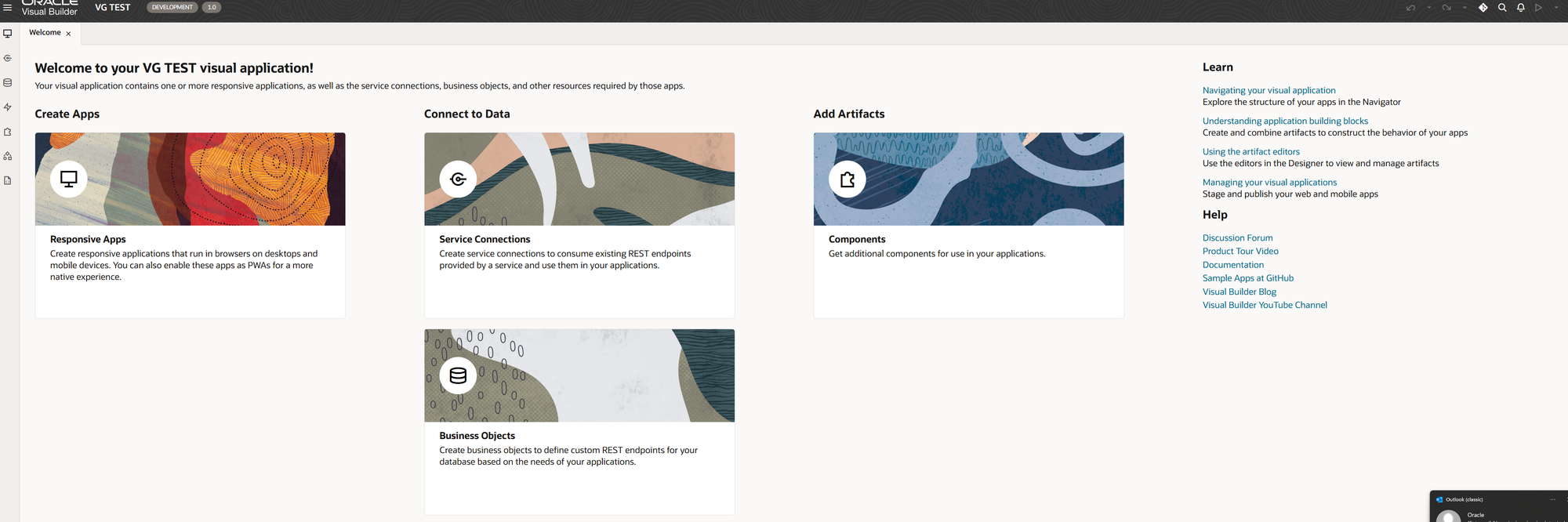
Oracle has two products with almost the same name and often people get confused by it. In OIC, Oracle provides Visual Builder Cloud Service (VBCS) which is used to build custom screens and we can fire integrations in the background from those custom screens. In Fusion, Oracle has provided Visual Builder Studio (VBS) which is mainly used to customize Oracle ERP Cloud Redwood screens to make the fields mandatory, hide them, add rules on the fields, etc.
Note: Visual Builder only supports Google Chrome and Microsoft Edge Browsers. It does not support Mozilla Firefox
B2B
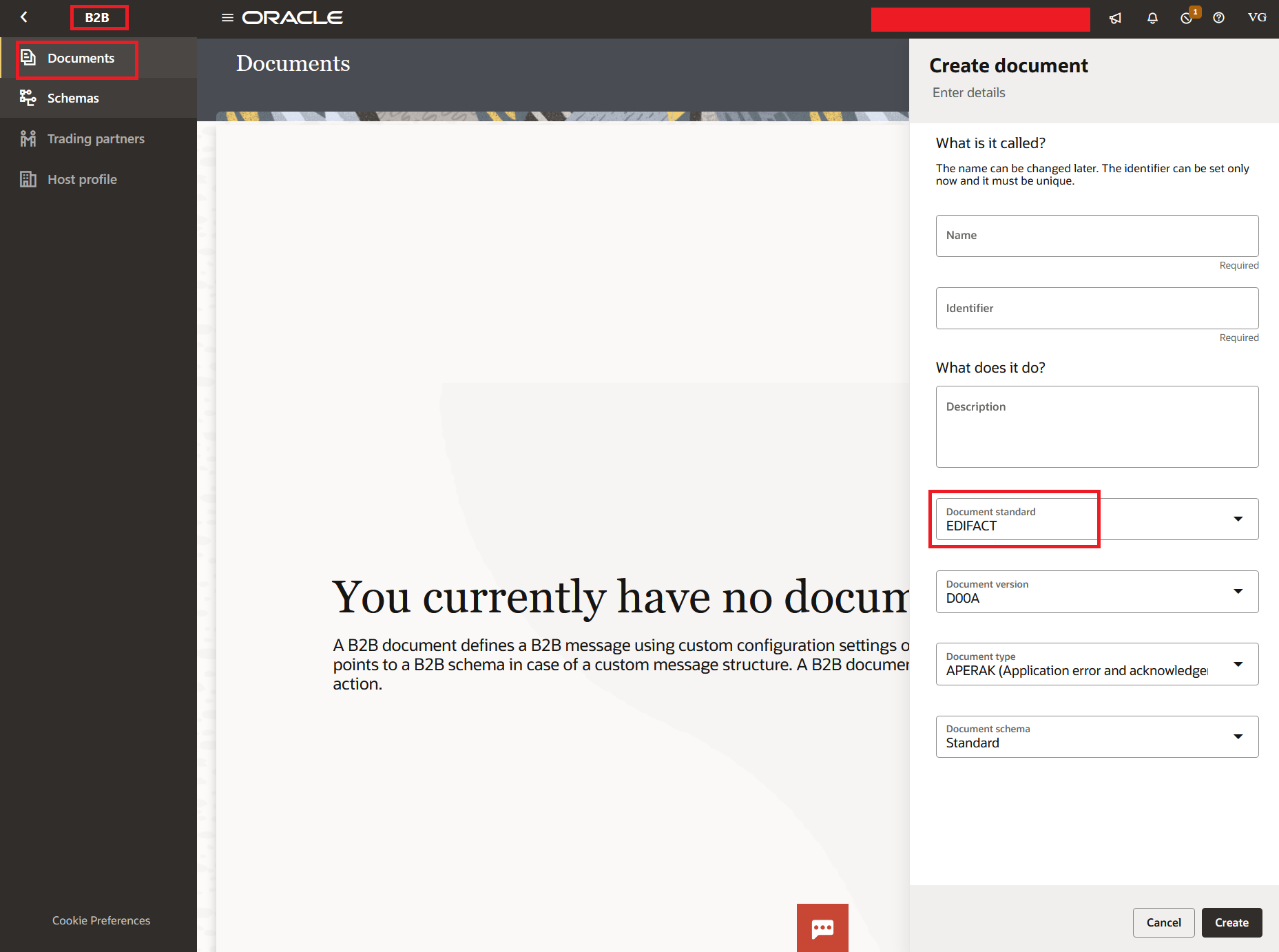
When you have very complex file structures which are also Industry Standards then building such complex file structure schemas before was very difficult. Hence, Oracle introduced this feature where the schemas such as EDIFACT are already present and you can use these schemas in your Integrations.
Process Automation
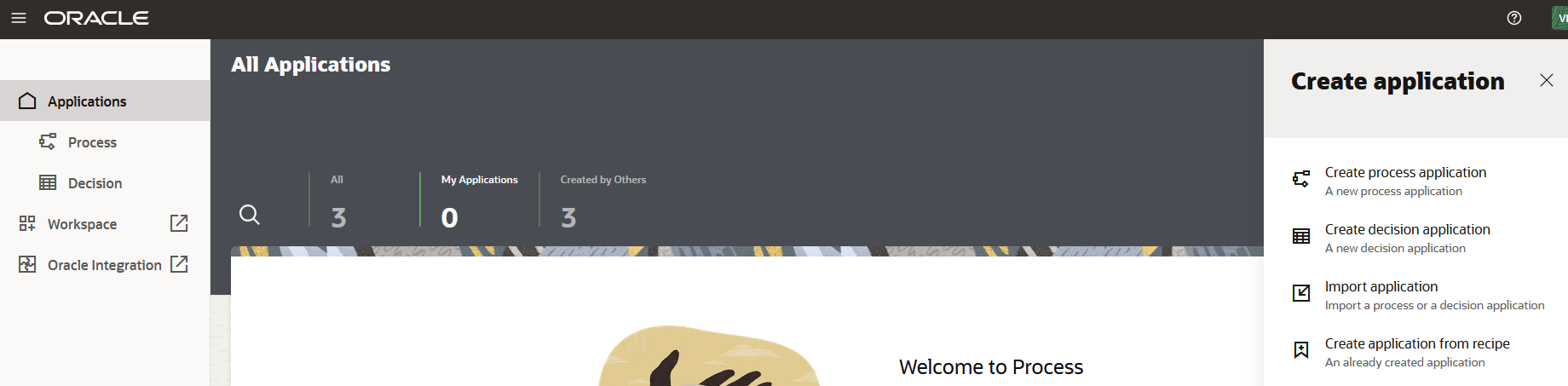
This was formerly known as Process Cloud Service or PCS but now renamed to Process Automation. We need to enable this feature to use it. When you want to provide a form which, once filled, should go for approval or you need an approval step in between the Integration then you use Process Automation.
Observability
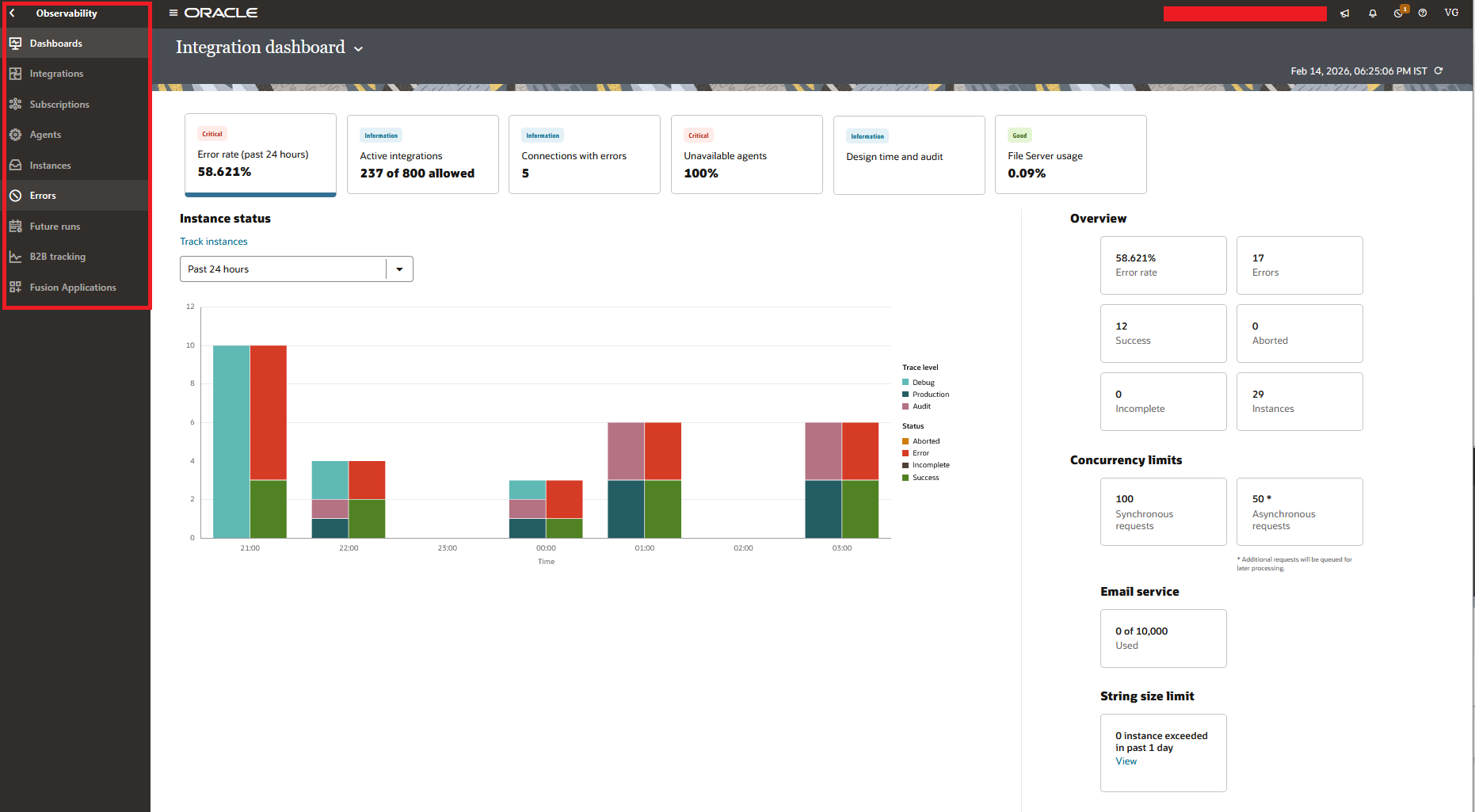
When you run any Integration then you need the Tracking, Summary, details around the execution. This is when you use the Observability screen. Within Observability, you can check the Dashboard, execution of the Integrations (known as Instances), instances which goes into errors: some of them can be re-triggered, summary of all the Integration runs, any scheduled Future Runs, any events expected to receive from Fusion, B2B tracking, Connectivity Agents Statuses, and Subscriptions.
Recipes and Accelerators
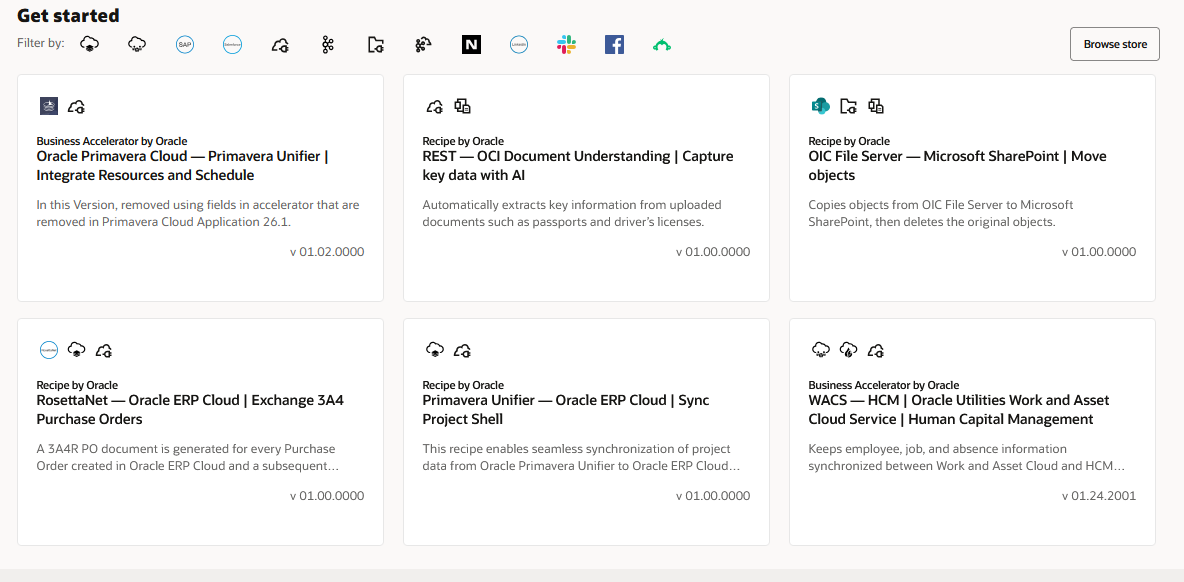
Oracle gives you a platform to publish a fully-tested integration to their Marketplace or use the Marketplace to use the already built and tested OIC Integrations.
File Server
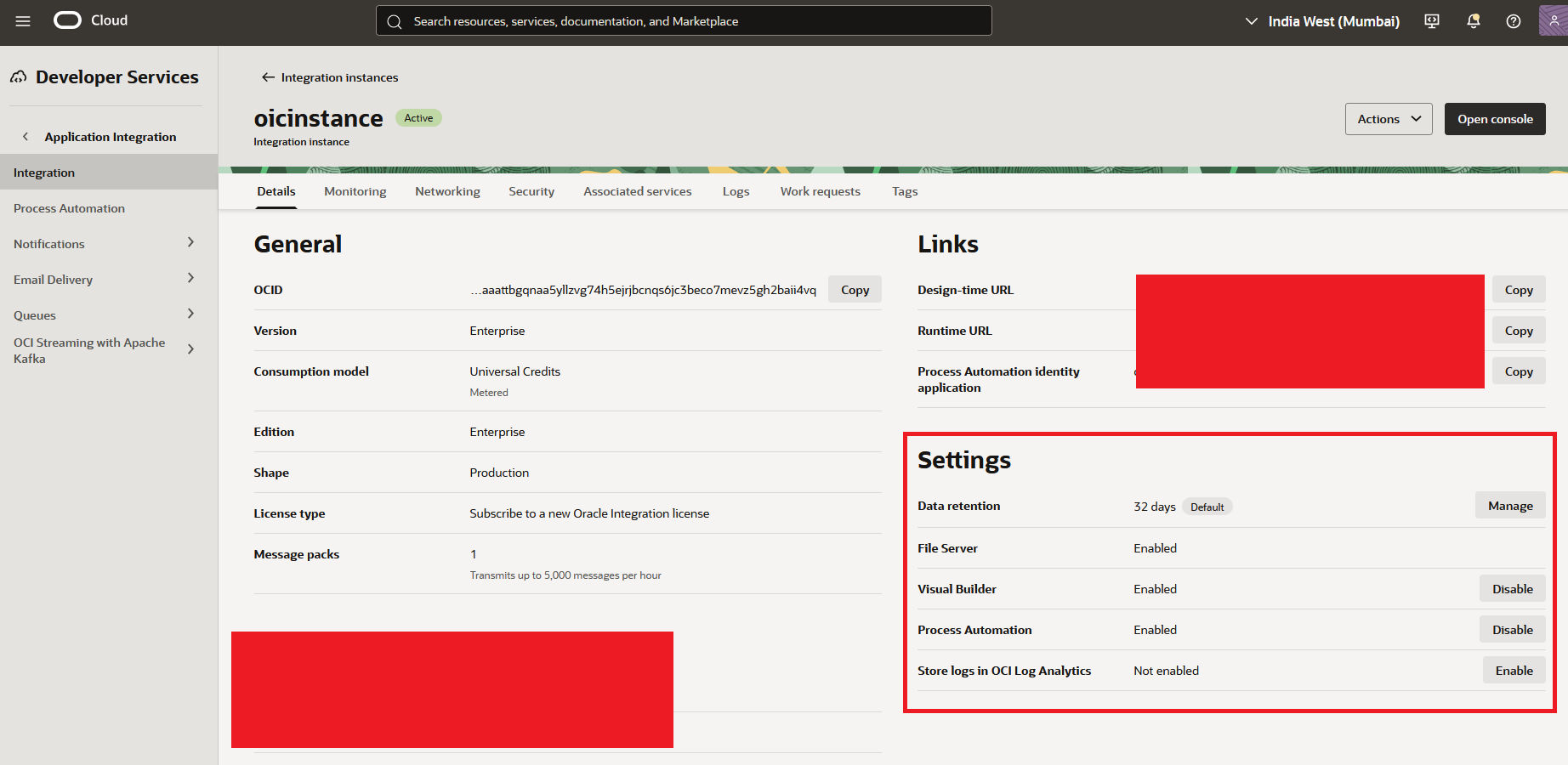
We need to enable File Server in OIC. It comes with 500 GB memory space. We can use this File Server for any File Based Integrations or if you want to place any logs or error files in the SFTP server.

Below is a screenshot from OCI Console showing that we have to enable File Server, Visual Builder, Process Automation, and Store logs in OCI Log Analytics:
Closing Thoughts
This blog covers the foundations of OIC before building Integrations. We discussed the licensing editions and which one to use based on your requirements. We walked through the key terminologies so that you will not get confused reading about them in my next blogs. If you have questions then please feel free to leave a comment.
Resources
- Oracle Integration Cloud Documentation: https://docs.oracle.com/en/cloud/paas/application-integration/index.html
- Oracle Integration Cloud Adapters: https://docs.oracle.com/en/cloud/paas/application-integration/oracle-integration-oci/oracle-integration-editions.html
- Oracle Integration Cloud What's New: https://docs.oracle.com/en/cloud/paas/application-integration/whats-new/index.html